Windows Domain Infrastructure
Active Directory
Each user of the lab is issued domain credentials that is used throughout the environment for access. Credentials are configured using Active Directory services.
Connect to one of the domain controllers or install Remote Server Administration Tools (RSAT) for Windows.
- Primary DNS: 192.168.20.5
- Secondary DNS: 192.168.20.6
Open Active Directory Users and Computers.
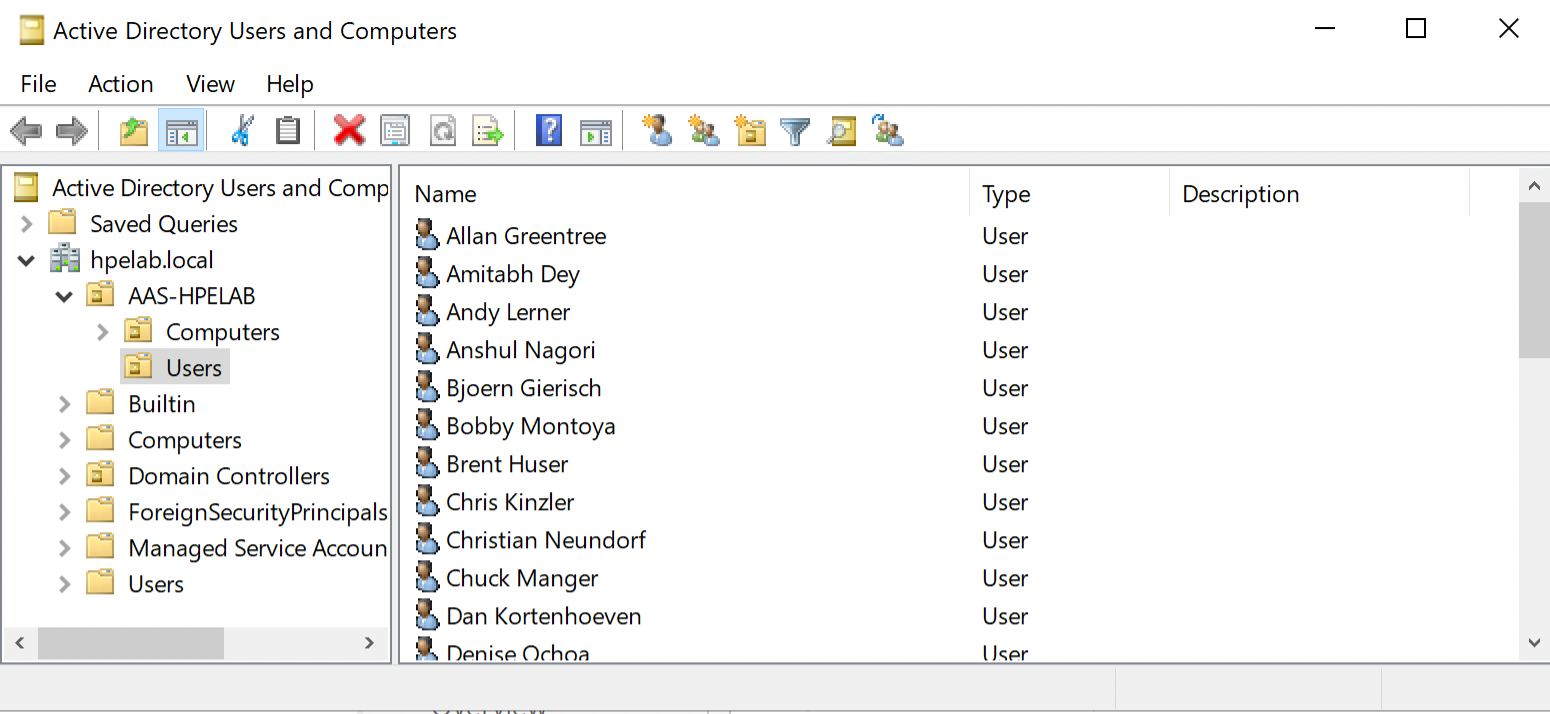
Expand hpelab.local > AAS-HPELAB.
Highlight Users.
Right click any user and choose Copy.
Fill out First and Last Name, logon name, and password.
Note
Make sure "User must change password at next logon" is unchecked. It causes issue with Remote Desktop sessions when trying to login the first time and are forced to change password.
In order to change password in Remote Desktop session:
1. Hit CTRL + ALT + END.
2. Enter Old Password.
3. Enter New Password and confirm password.